Buy Now And Get Free Shipping! Buy Now And Get Free Shipping! Buy Now And Get Free Shipping!

Author name: baly.shergill

suffering from backpain
Blog

The 14-Hour Sit-athon: Why Your Twitch Stream and Your Q3 Spreadsheets Are Destroying Your Lumbar (And How to Fix It Before Your Spine Unionizes)

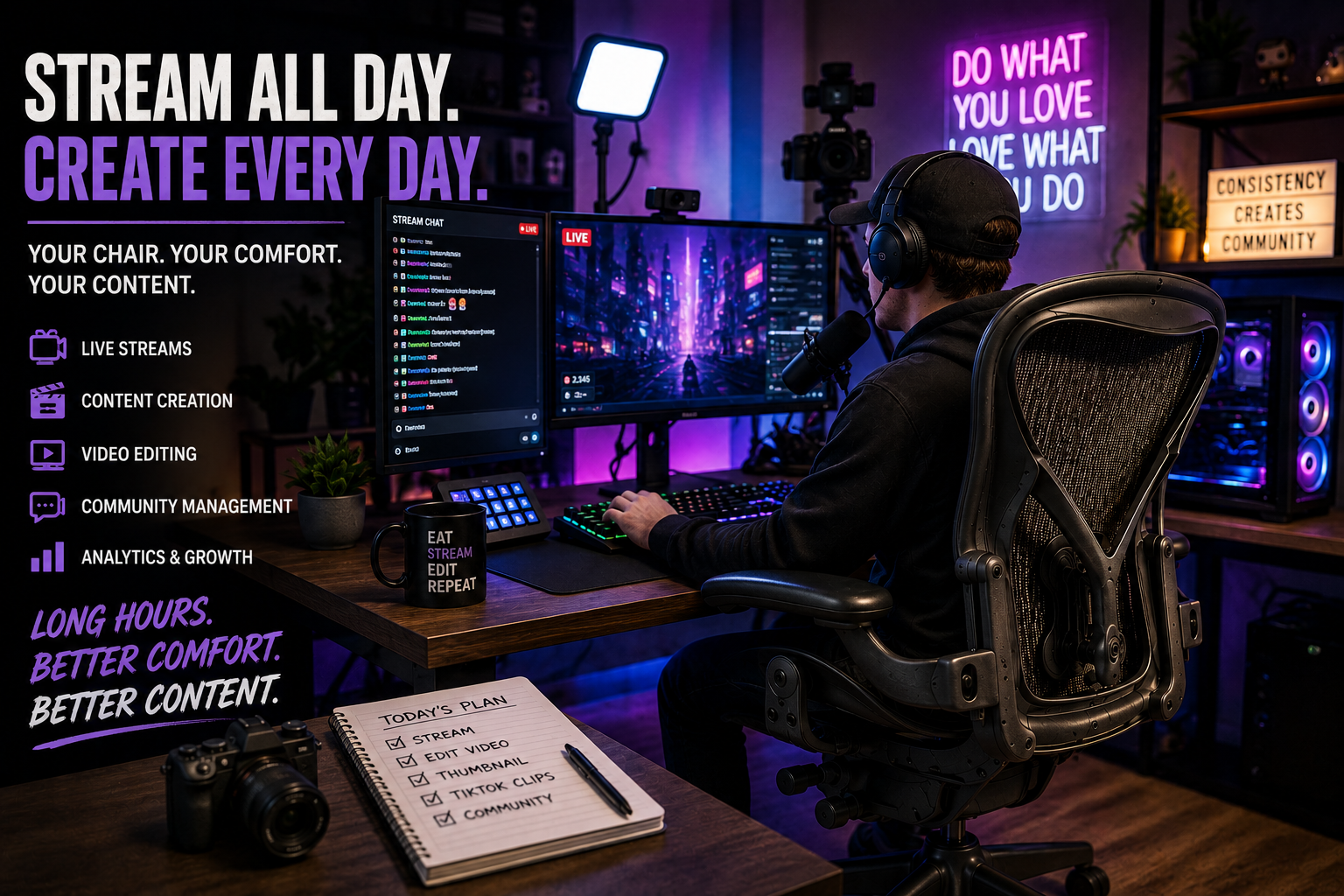
The 14-Hour Sit-athon: Why Your Twitch Stream and Your Q3 Spreadsheets Are Destroying Your Lumbar (And How to Fix It Before Your Spine Unionizes) Being a full-time streamer can look like one of the most comfortable jobs in the world. You sit at a desk, play games, talk to your audience, react to videos, answer questions, and occasionally yell at your monitor when something goes horribly wrong. From the outside, it can look like you’re simply having fun on the internet while thousands of people watch. The reality is considerably different. Once streaming becomes a full-time career, the hours add up quickly. A creator may spend several hours livestreaming, followed by more time editing videos, creating thumbnails, responding to comments, checking analytics, preparing future content, attending sponsorship meetings, and managing social media accounts. What looks like a two-hour stream to the audience can easily become an eight- or ten-hour workday for the person sitting behind the camera. And through almost all of it, there is one piece of equipment that rarely gets the attention it deserves: the chair. Your camera may cost hundreds or thousands of dollars. Your microphone might be capable of making you sound like you’re broadcasting from a professional studio. Your computer may have enough RGB lighting to guide aircraft onto the runway. But if you’re sitting in an uncomfortable chair for most of the day, your otherwise impressive setup has a pretty obvious weak spot. Streaming Is a Job, Not Just a Livestream One of the biggest misconceptions about content creation is that the work begins when a creator presses the “Go Live” button. In reality, the livestream is only one part of the process. Before going live, streamers often prepare their content, test microphones and cameras, organize scenes, check their internet connection, respond to messages, and plan what they want to do during the broadcast. After the stream ends, there may be clips to create, highlights to edit, videos to upload, comments to answer, sponsorship obligations to manage, and performance data to review. That means a creator can spend an entire day at the same workstation even if their actual livestream only lasts a few hours. This is where the importance of a proper chair becomes much easier to understand. When you’re sitting occasionally, almost any reasonably comfortable chair might seem acceptable. When you’re spending most of your working day at a desk, however, the limitations of a basic chair can become much more noticeable. The chair is no longer just furniture. It becomes part of your working equipment. Why a Normal Home Chair Can Become a Problem Many creators don’t begin their careers with a professionally designed studio. They start with what they already have available. A dining chair, inexpensive office chair, couch, or basic gaming chair can be perfectly reasonable when you’re only streaming occasionally. The problem starts when those occasional sessions turn into a full-time schedule. A normal household chair usually offers very little adjustability. Its height is fixed, the armrests may not exist, and there may be limited support for your back. It might be perfectly comfortable while you’re eating dinner for half an hour, but sitting at a computer for several consecutive hours is a completely different situation. Your desk height, monitor position, keyboard, mouse, and chair all need to work together. If your chair is too low, too high, or doesn’t provide the adjustments you need, you may end up constantly changing your position to compensate. At first, you might barely notice it. After several hours, however, you’re shifting around in the chair, leaning toward the monitor, moving your shoulders, or trying to find a position that simply r better. That isn’t exactly ideal when your job requires concentration and consistency. Your Chair Needs to Support More Than Gaming A streamer isn’t necessarily doing the same activity throughout the day. A typical creator might spend part of the morning editing a video, switch to a livestream in the afternoon, answer emails afterward, record another piece of content, and finish the evening reviewing analytics. Each activity can involve slightly different seating requirements. When you’re gaming, you’re actively using your keyboard and mouse while concentrating on a monitor. When you’re editing, you may spend hours looking at a video timeline and making tiny adjustments. During a sponsorship meeting, you might be sitting relatively still while talking to another person. When you’re recording a video, the position of your chair can even become part of what the camera sees. This variety makes adjustability particularly useful. A quality ergonomic chair allows you to make changes to the way you sit rather than forcing you to use one fixed position all day. Seat height, armrest position, back support, recline, and other adjustments can help you create a workstation that better matches your body and the way you work. It doesn’t mean the chair is going to make you a better streamer. If chairs could increase subscribers, every creator would have a Herman Miller in the background and the internet would be a very different place. The benefit is much simpler: a well-designed chair can help make your workstation more comfortable and adaptable during long periods of computer use. The Gaming Chair Isn’t Automatically the Best Choice Gaming chairs have become a major part of streaming culture, and there is nothing wrong with wanting one. They often look impressive on camera, come in bold designs, and can make a gaming setup immediately recognizable. However, appearance and ergonomics are two different things. Many traditional gaming chairs are inspired by racing seats. They often feature pronounced side bolsters, thick padding, tall backrests, and aggressive styling. That design can look great in a streaming room, but the fact that a chair looks like it belongs inside a race car doesn’t necessarily mean it is the best choice for someone who spends eight or ten hours at a desk. Professional streamers need to think about how the chair performs over an entire working day rather than how it

Blog

Streaming All Day? Your Chair Might Be the Most Important Part of Your Setup

Streaming All Day? Your Chair Might Be The Most Important Part Of Your Setup Being a full-time streamer can look like one of the most comfortable jobs in the world. You sit at a desk, play games, talk to your audience, react to videos, answer questions, and occasionally yell at your monitor when something goes horribly wrong. From the outside, it can look like you’re simply having fun on the internet while thousands of people watch. The reality is considerably different. Once streaming becomes a full-time career, the hours add up quickly. A creator may spend several hours livestreaming, followed by more time editing videos, creating thumbnails, responding to comments, checking analytics, preparing future content, attending sponsorship meetings, and managing social media accounts. What looks like a two-hour stream to the audience can easily become an eight- or ten-hour workday for the person sitting behind the camera. And through almost all of it, there is one piece of equipment that rarely gets the attention it deserves: the chair. Your camera may cost hundreds or thousands of dollars. Your microphone might be capable of making you sound like you’re broadcasting from a professional studio. Your computer may have enough RGB lighting to guide aircraft onto the runway. But if you’re sitting in an uncomfortable chair for most of the day, your otherwise impressive setup has a pretty obvious weak spot. Streaming Is a Job, Not Just a Livestream One of the biggest misconceptions about content creation is that the work begins when a creator presses the “Go Live” button. In reality, the livestream is only one part of the process. Before going live, streamers often prepare their content, test microphones and cameras, organize scenes, check their internet connection, respond to messages, and plan what they want to do during the broadcast. After the stream ends, there may be clips to create, highlights to edit, videos to upload, comments to answer, sponsorship obligations to manage, and performance data to review. That means a creator can spend an entire day at the same workstation even if their actual livestream only lasts a few hours. This is where the importance of a proper chair becomes much easier to understand. When you’re sitting occasionally, almost any reasonably comfortable chair might seem acceptable. When you’re spending most of your working day at a desk, however, the limitations of a basic chair can become much more noticeable. The chair is no longer just furniture. It becomes part of your working equipment. Why a Normal Home Chair Can Become a Problem Many creators don’t begin their careers with a professionally designed studio. They start with what they already have available. A dining chair, inexpensive office chair, couch, or basic gaming chair can be perfectly reasonable when you’re only streaming occasionally. The problem starts when those occasional sessions turn into a full-time schedule. A normal household chair usually offers very little adjustability. Its height is fixed, the armrests may not exist, and there may be limited support for your back. It might be perfectly comfortable while you’re eating dinner for half an hour, but sitting at a computer for several consecutive hours is a completely different situation. Your desk height, monitor position, keyboard, mouse, and chair all need to work together. If your chair is too low, too high, or doesn’t provide the adjustments you need, you may end up constantly changing your position to compensate. At first, you might barely notice it. After several hours, however, you’re shifting around in the chair, leaning toward the monitor, moving your shoulders, or trying to find a position that simply r better. That isn’t exactly ideal when your job requires concentration and consistency. Your Chair Needs to Support More Than Gaming A streamer isn’t necessarily doing the same activity throughout the day. A typical creator might spend part of the morning editing a video, switch to a livestream in the afternoon, answer emails afterward, record another piece of content, and finish the evening reviewing analytics. Each activity can involve slightly different seating requirements. When you’re gaming, you’re actively using your keyboard and mouse while concentrating on a monitor. When you’re editing, you may spend hours looking at a video timeline and making tiny adjustments. During a sponsorship meeting, you might be sitting relatively still while talking to another person. When you’re recording a video, the position of your chair can even become part of what the camera sees. This variety makes adjustability particularly useful. A quality ergonomic chair allows you to make changes to the way you sit rather than forcing you to use one fixed position all day. Seat height, armrest position, back support, recline, and other adjustments can help you create a workstation that better matches your body and the way you work. It doesn’t mean the chair is going to make you a better streamer. If chairs could increase subscribers, every creator would have a Herman Miller in the background and the internet would be a very different place. The benefit is much simpler: a well-designed chair can help make your workstation more comfortable and adaptable during long periods of computer use. The Gaming Chair Isn’t Automatically the Best Choice Gaming chairs have become a major part of streaming culture, and there is nothing wrong with wanting one. They often look impressive on camera, come in bold designs, and can make a gaming setup immediately recognizable. However, appearance and ergonomics are two different things. Many traditional gaming chairs are inspired by racing seats. They often feature pronounced side bolsters, thick padding, tall backrests, and aggressive styling. That design can look great in a streaming room, but the fact that a chair looks like it belongs inside a race car doesn’t necessarily mean it is the best choice for someone who spends eight or ten hours at a desk. Professional streamers need to think about how the chair performs over an entire working day rather than how it looks for the first few minutes. This is one reason

Blog

Steelcase Ergonomic Science: Why Your Chair Should Adapt to You Not the Other Way Around

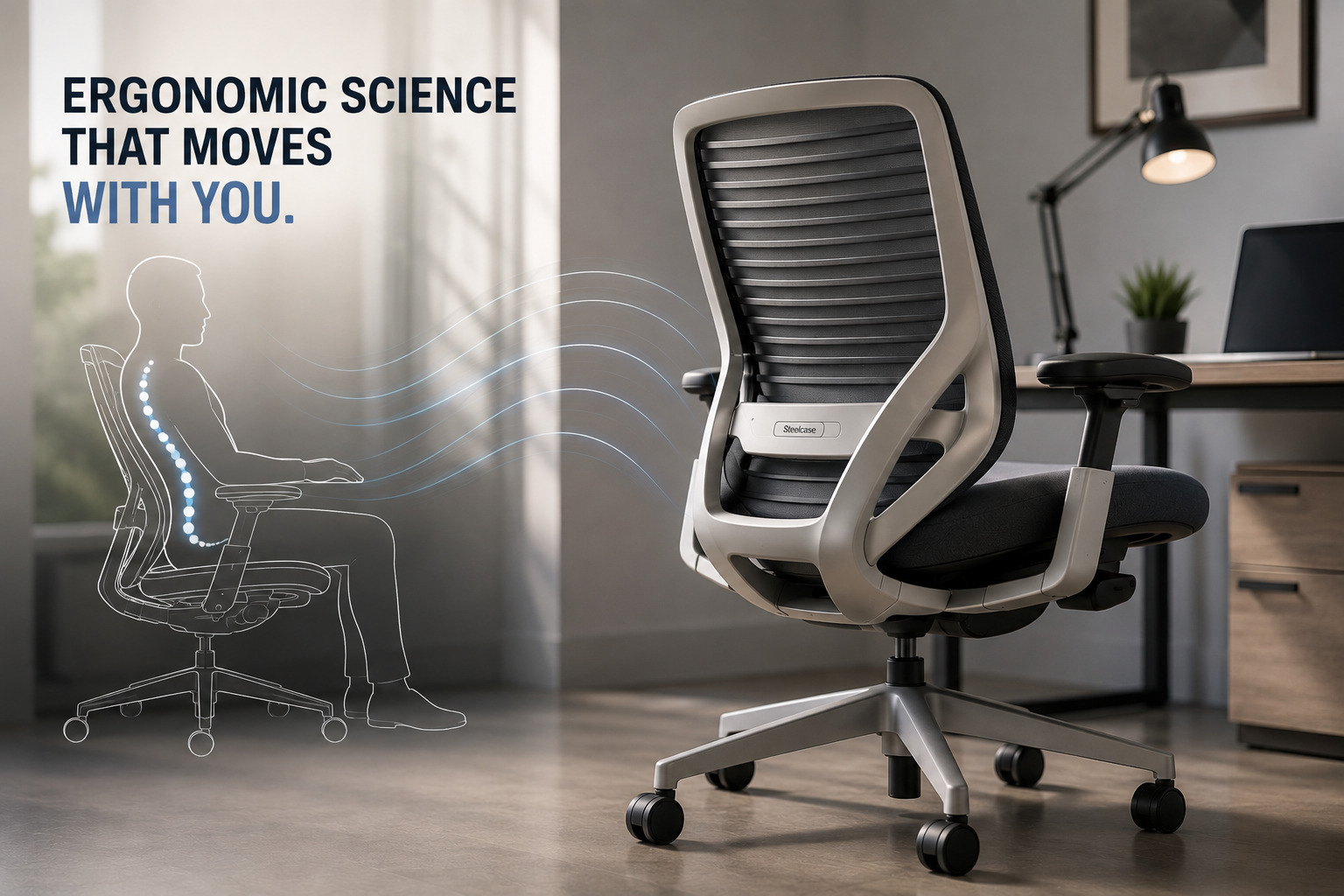
The Hidden Technology Inside a Herman Miller Aeron: Engineering That Changes the Way You Sit Let’s settle one of the biggest office myths once and for all. A chair isn’t “ergonomic” just because it has a mesh back and a fancy-looking lever that nobody ever touches. That’s like calling a bicycle a race bike because it’s painted red. True ergonomics is rooted in biomechanics, movement science, material engineering, and decades of research into how real people actually sit, shift, lean, reach, and work throughout the day. That’s exactly where Steelcase has built its reputation. Rather than forcing users into one “perfect posture,” Steelcase designs its chairs around a much smarter idea: People aren’t designed to sit still. And neither should their chairs. The Human Body Was Built for Movement Here’s something your office chair probably forgot. Your body makes hundreds—sometimes thousands—of tiny posture adjustments every day. Even while answering emails, your spine flexes, your shoulders rotate, your pelvis shifts, and your center of gravity constantly changes. Researchers call these micro-movements. Most inexpensive office chairs fight these movements. Steelcase chairs encourage them. Instead of locking you into a rigid sitting position, their ergonomic systems allow your body to keep moving naturally while remaining fully supported. Because surprisingly, the healthiest sitting posture… …is your next one. LiveBack Technology: A Backrest That Actual One of Steelcase’s signature innovations is LiveBack® Technology. Unlike conventional backrests that behave like a flat board with foam glued on top, LiveBack is designed to mimic the movement of the human spine. Your spine isn’t perfectly straight. It contains three natural curves: Cervical Lordosis Thoracic Kyphosis Lumbar Lordosis As you lean, twist, reach, or recline, these curves subtly change. Steelcase engineered the backrest to flex with those movements. Instead of pushing your spine into one fixed position, the chair continuously adjusts to maintain support where it’s needed. Think of it as suspension for your back. Natural Glide: Reclining Without Leaving Your Desk Have you ever leaned back in a cheap office chair only to realize you’re now three feet away from your keyboard? Congratulations. You’ve discovered poor engineering. Steelcase solved this problem with Natural Glide®. Instead of simply tipping backward, the seat glides forward slightly as the back reclines. Why does this matter? Because your: Feet stay planted. Hands remain closer to your keyboard. Eyes stay aligned with your monitor. Spine maintains support. So you can stretch, recline, and breathe without feeling like you’ve abandoned your workstation. It’s a tiny engineering detail that makes a surprisingly big difference during an eight-hour workday. Pressure Isn’t the Enemy Uneven Pressure Is Every chair supports body weight. The real question is how. When you sit, most of your weight is concentrated beneath the ischial tuberosities, better known as your sit bones. Low-cost chairs often create pressure hotspots because their foam compresses unevenly. Steelcase focuses on pressure mapping, distributing body weight across a larger surface area. This reduces concentrated stress while improving comfort during prolonged sitting. Less pressure in one area means less shifting, less fatigue, and fewer moments where you suddenly stand up because your legs decided they’d had enough. Seat Depth Matters More Than You Think Not everyone’s legs are the same length. Shocking, right? That’s why premium Steelcase chairs often include seat depth adjustment. When the seat is too long: It presses behind the knees. Blood circulation may be reduced. The user slides forward. Lumbar support becomes ineffective. When it’s too short: The thighs lose support. More body weight shifts onto the pelvis. Pressure increases around the hips. Proper seat depth distributes body weight across the thighs while leaving a small gap behind the knees. Your circulation and your legs will thank you. 4D Armrests: They’re Smarter Than They Sound Many office chairs treat armrests as decorative accessories. Steelcase treats them as ergonomic equipment. Its 4D armrests can typically adjust: Height Width Depth Pivot angle Why? Because every typing position is different. Proper arm support reduces the workload placed on the: Trapezius Deltoids Rotator cuff Neck muscles If you’ve ever finished the day feeling like your shoulders were carrying the emotional weight of your inbox, your armrests may be partly to blame. Flexible Seat Edges Improve Circulation One clever Steelcase innovation is the flexible seat edge. Instead of a rigid front lip pressing into the underside of your thighs, the seat edge bends as you move. This reduces pressure around the popliteal region, located behind the knee where important blood vessels and nerves pass. Improved circulation helps reduce: Leg fatigue Tingling Numbness Pressure discomfort It’s another example of small engineering details creating noticeable improvements throughout the day. Designed Around Today’s Work Habits Office work has changed dramatically over the last twenty years. We’re no longer just typing. Today we’re: Switching between laptops and monitors Video conferencing Using standing desks Looking at tablets Collaborating in hybrid workspaces Steelcase studies these behaviors extensively. Its ergonomic research centers observe how people actually work rather than how designers assume they work. That research influences everything from recline mechanics to armrest positioning and seat geometry. The goal isn’t simply to build a better chair. It’s to build a chair that fits modern work. Built for Years, Not Seasons Budget office chairs often feel great… …for about six months. Steelcase designs its chairs for commercial environments where they may be used every day for years. That means components undergo rigorous durability testing, including: Recline cycles Weight loading Armrest strength Caster performance Frame stability Material fatigue Many Steelcase chairs are engineered to meet or exceed ANSI/BIFMA commercial performance standards, making them a favorite in Fortune 500 offices, healthcare facilities, universities, and technology companies. Because replacing your chair every couple of years isn’t exactly a productivity hack. Why Refurbished Steelcase Chairs Are Such a Smart Buy Here’s the part your wallet has been waiting for. Premium engineering doesn’t suddenly disappear because a chair has had a previous owner. A professionally refurbished Steelcase chair still offers the same advanced ergonomic design, precision adjustments, durable frame, and movement-focused engineering

Blog

The Hidden Technology Inside a Herman Miller Aeron: Engineering That Changes the Way You Sit

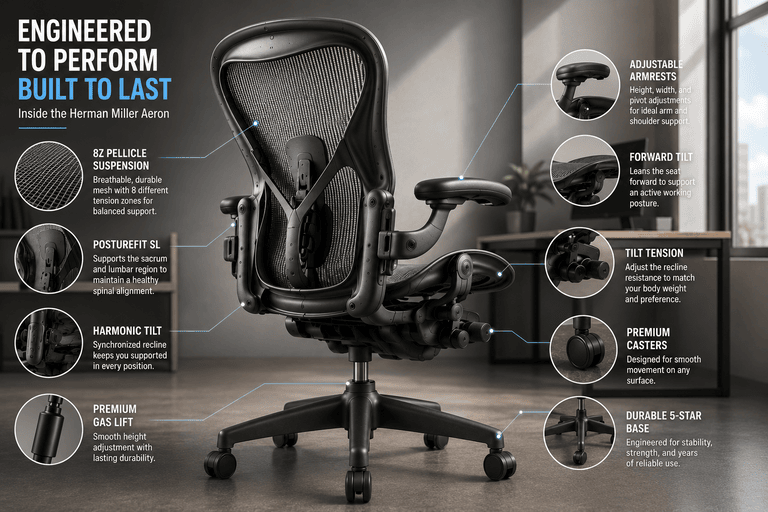
The Hidden Technology Inside a Herman Miller Aeron: Engineering That Changes the Way You Sit When most people look at an office chair, they see wheels, armrests, a seat, and a backrest. Engineers see something entirely different. They see load paths, pressure distribution, synchronized motion, elastomeric suspension, fatigue resistance, and thousands of moving interactions that occur every single day. That’s exactly why premium ergonomic chairs like the Herman Miller Aeron have earned their reputation. They weren’t designed to be flashy office furniture—they were engineered as precision seating systems capable of supporting the human body through years of continuous work. Whether you’re a software developer spending ten hours coding, a designer refining creative projects, or a remote worker living in virtual meetings, understanding what happens beneath the surface of your chair helps explain why premium ergonomic seating performs so differently from conventional office chairs. More Than a Chair It’s a Mechanical System Unlike traditional office chairs that rely on thick foam and simple reclining mechanisms, the Herman Miller Aeron functions as a collection of interconnected engineering systems. Every component has a specific purpose. Instead of relying on soft cushioning to create comfort, the chair actively manages body weight, posture, movement, airflow, and mechanical balance. Its performance comes from the way these systems work together rather than from any single feature. The Pellicle Suspension: Replacing Foam with Engineering One of the Aeron’s most recognizable innovations is its Pellicle suspension, a woven elastomeric mesh that transformed the office furniture industry. Traditional office chairs use polyurethane foam to cushion the body. Foam initially feels soft, but over time it compresses permanently, creating pressure points beneath the hips and thighs. Pellicle suspension approaches comfort differently. Rather than allowing your body to sink into a cushion, the mesh stretches under load while maintaining controlled tension. The result is: Even pressure distribution Improved airflow Reduced heat buildup Lower soft tissue compression Greater long-term durability The latest Aeron incorporates 8Z Pellicle, where eight independently engineered tension zones provide varying levels of support depending on which part of the body they’re supporting. For example, firmer zones stabilize the pelvis while more flexible areas accommodate the thighs and shoulders. This isn’t simply mesh. It’s engineered suspension. The PostureFit SL System Maintaining healthy posture begins with the pelvis. When the pelvis rotates backward, the lumbar spine loses its natural curve, causing the upper body to compensate. The Aeron’s PostureFit SL system was designed specifically to prevent this. Unlike conventional lumbar cushions that push against only one area of the lower back, PostureFit SL supports both the sacrum and lumbar region. This dual-contact support helps maintain a neutral pelvic position while preserving the spine’s natural lumbar lordosis. The result is reduced muscular effort throughout the lower back and improved postural stability during prolonged sitting. Harmonic Tilt: Reclining Without Losing Support Many office chairs recline by allowing the backrest to fall backward around a single pivot. While simple, this design often causes the user to lose lumbar support or shift their feet off the floor. The Aeron uses Harmonic Tilt, an advanced synchronized recline mechanism that coordinates the movement of both the seat and the backrest. As you lean backward: The seat angle changes gradually. The backrest follows your body’s movement. Lumbar support remains consistent. Your center of gravity stays balanced. Your feet remain naturally positioned. Instead of forcing your body into an awkward recline, the chair moves with your natural biomechanics. This creates smoother movement while reducing unnecessary stress on the hips and spine. Tilt Tension: Customized Movement No two people weigh the same. That means reclining should never feel identical for every user. The Aeron’s tilt tension adjustment changes the amount of force required to recline. A lighter individual may prefer lower resistance, while someone heavier may increase tension to achieve balanced support. This adjustment allows the chair to feel weightless regardless of body size. Instead of abruptly falling backward or resisting movement, the recline feels smooth, predictable, and controlled. Forward Tilt for Active Work Certain tasks naturally encourage users to lean toward their monitor. Typing, graphic design, architectural drafting, and detailed editing all place the body in a forward-working posture. The Aeron’s optional Forward Tilt mechanism slightly angles the seat forward while maintaining spinal support. This keeps the pelvis properly aligned during focused work instead of forcing the user into a rounded posture. Although often overlooked, this feature significantly improves comfort during extended periods of concentrated work. Adjustable Armrests That Move With You Most budget office chairs provide little more than fixed armrests. Premium ergonomic chairs treat arm support as an essential component of upper-body ergonomics. The Aeron’s adjustable armrests can typically move in multiple directions, including: Height adjustment Width adjustment Pivot adjustment This allows users to support their forearms while keeping the shoulders relaxed and elbows positioned close to the body. Proper arm support reduces unnecessary strain on the trapezius, deltoids, and shoulder joints during prolonged keyboard and mouse use. Precision Gas Lift Cylinder Seat height adjustment relies on a pneumatic gas lift cylinder, but not all cylinders are created equally. Premium gas cylinders are engineered for: Smooth operation Stable positioning Long service life High load capacity Minimal vertical movement Quality cylinders maintain consistent height without gradually sinking during use—a common issue with inexpensive office chairs. Engineering the Perfect Base The Aeron’s five-star base isn’t simply designed for appearance. Its geometry distributes weight evenly across five support points, maximizing stability during movement and reclining. The aluminum or reinforced composite base provides exceptional structural rigidity while keeping the chair lightweight enough for effortless mobility. This combination reduces wobbling and improves long-term durability. Casters Designed for Different Surfaces Even the wheels receive careful engineering attention. Depending on the intended flooring, premium ergonomic chairs may use different caster materials optimized for: Hardwood floors Tile Laminate Low-pile carpet Commercial carpet High-quality casters reduce rolling resistance while minimizing wear on flooring surfaces. Their sealed bearings also contribute to quieter movement and longer service life. Built To Be Repaired Instead of Replaced One reason

Blog

Your Chair is Sabotaging Your Grind (The Ultimate Ergonomic Cheat Code)

Your Chair is Sabotaging Your Grind (The Ultimate Ergonomic Cheat Code) Let’s be brutally honest for a second. If you think a chair is just a chair and you should just “sit down and get to work,” you are officially playing life on hard mode. We’ve all been there. You buy a random chair because it was on sale, or you just use the dining chair from your kitchen table. For the first week, it’s fine. By month two, your lower back is screaming, your shoulders are up to your ears, and your brain feels like it’s running on dial-up internet by 3 PM.  Here’s the reality check: an ergonomic chair isn’t just a luxury flex for tech bros in Silicon Valley. It is the ultimate productivity cheat code. Whether you’re coding the next big app, editing a 40-minute YouTube video, or just trying to survive a 9-to-5 without crying from lumbar pain, the right chair changes the entire game. Let’s break down the overall benefits, the actual functionality, and how to find your perfect comfort match. No cap. The Overall Benefits: Why Your Body Will Thank You Let’s talk about what actually happens when you upgrade to a premium ergonomic chair. It’s not just about avoiding back pain; it’s about completely upgrading your physical and mental state.  The “Cooked Shrimp” Cure: A good chair forces your pelvis into a neutral tilt, maintaining the natural “S” curve of your spine. You literally cannot slouch into a sad, rounded “C” shape even if you try. Your posture fixes itself on autopilot. The 3 PM Coma Fix: When you sit in a cheap chair, your body is constantly micro-tensing to keep you upright. This restricts blood flow and oxygen to your brain. An ergonomic chair supports your weight properly, keeping your circulation flowing. More blood flow = more brain power = no more afternoon brain fog. The Longevity Flex: Your spine has a limited number of miles on it. Don’t burn through them all by age 35 because you sat in a $100 mesh bucket. Investing in your spine now means you’ll still be able to walk upright and play with your future kids (or grandkids) without sounding like the Michelin Man. Functionality & Comfort: The “Goldilocks” Zone Here’s where people get it wrong. They think “ergonomic” means “super squishy.” Bestie, sitting on a giant marshmallow is terrible for your back. True ergonomic comfort is about suspension and support, not sinking. Premium chairs like the Herman Miller Aeron and Steelcase Leap V2 use high-tension materials and dynamic mechanics. The Feel: It’s the Goldilocks zone. Not too hard, not too soft. The Aeron’s 8Z Pellicle mesh suspends you like a trampoline, eliminating pressure points so your legs don’t fall asleep. The Leap V2 uses high-density foam that molds to your body without bottoming out. The Adjustability: This is where the magic happens. We’re talking seat depth adjustments (so the edge doesn’t cut off the circulation to your calves), 4D armrests (so your shoulders don’t hike up), and recline tension (so you can lean back without feeling like you’re going to tip over). It’s basically a cockpit for your body. Matching the Chair to Your Specific Grind Not all work is created equal, and your chair shouldn’t be either. Here’s how premium ergonomic functionality caters to your specific daily chaos: 1. The Deep-Work Hyper-Fixer (Coders, Writers, Accountants) If you sit in one spot for 6 hours straight, typing furiously, you need stability and breathability. You need the Herman Miller Aeron. Its PostureFit SL locks your lower back into the perfect position, and the mesh keeps you cool when the deadline panic sets in. It’s the ultimate “do not disturb” chair. 2. The Multitasking Fidgeter (Project Managers, Creatives, Execs) If you’re constantly leaning forward to read a screen, leaning back to take a call, and twisting to grab a whiteboard marker, you need dynamic movement. You need the Steelcase Leap V2. Its LiveBack technology literally changes shape to mimic your spine’s movement. It’s a dynamic hug that adapts to your chaotic energy. 3. The Marathon Session Grinder (Gamers, Video Editors, Streamers) If you’re doing 10-hour sessions where your arms are constantly hovering over a keyboard or controller, you need elite arm and neck support. Both the Aeron and Leap V2 offer fully adjustable armrests that can be dialed in to perfectly support your forearms, taking the tension out of your neck and shoulders so you can clutch the final round or render the final cut without cramping up. The ERG Office Solutions Reality Check: Smart Money, Not Delulu Now, you’re probably thinking: “Okay, this all sounds amazing, but dropping $1,800 on a chair is completely delulu.” And honestly? You shouldn’t. It is completely delulu to pay full retail price for premium office furniture when the refurbished market exists. That’s where ERG Office Solutions steps in to save the day. We specialize in top-tier, refurbished Herman Miller and Steelcase chairs. We restore them to like-new condition, giving you the exact same high-end ergonomic benefits, the exact same premium materials, and the exact same life-changing comfort but at a fraction of the cost. Plus, buying refurbished is a massive W for the planet, keeping durable, high-quality furniture out of landfills. But we don’t just sell you a chair and leave you on read. We deliver total peace of mind. Every refurbished piece we ship is backed by a rock-solid 5-year product warranty. Yes, five whole years. We also offer a 15-day money-back guarantee. We want you to test it out in your own space. If it doesn’t feel like the best seat you’ve ever owned, send it back. No hard feelings, no awkward conversations. Plus, with free shipping across the United States, and free delivery and installation right here in the Bay Area, we make the whole process completely frictionless. Conclusion: Stop Sabotaging Your Own Success Look, you can have the best standing desk, the fastest laptop, and the most aesthetic lighting in the world, but if you’re sitting in a trash chair, your whole

Blog

You’re Using a Dining Chair for a 10-Hour Workday (The Ultimate Ergonomic Use-Case Guide)

You’re Using a Dining Chair for a 10-Hour Workday (The Ultimate Ergonomic Use-Case Guide) Let’s be real: trying to find a legit refurbished Herman Miller or Steelcase chair in 2026 feels like dating in the digital age. There are so many options, but half of them are giving “catfish” energy. You want premium lumbar support without the premium price tag, but instead, you’re getting… well, a used chair with questionable hygiene and zero warranty. It’s giving red flag. But don’t stress, bestie. We’ve done the homework so you don’t have to. Here’s the ultimate, no-BS tier list of the top companies selling refurbished ergonomic chairs across the USA. We’re keeping it 100, roasting a little, and making sure you know exactly where to get that pain-free glow-up. No cap. Use Case 1: The Deep-Work Hyper-Fixer (Herman Miller Aeron) The Vibe: You’re a coder, a writer, or a data analyst who gets so locked into the zone that you forget to blink, let alone stand up. You run hot, and you need absolute, unyielding postural support. The Functions & Benefits: The Pellicle Mesh: Let’s be real, unless you’re a cyborg, you sweat. The Aeron’s iconic 8Z Pellicle mesh is basically a trampoline for your body. It suspends you, distributes your weight evenly, and lets air flow through. No more sticking to your chair like a sad, sweaty pancake at 3 PM. PostureFit SL: This is the Aeron’s secret weapon. It independently supports your sacrum and lumbar spine, gently pushing your pelvis into a healthy forward tilt. It literally forces you to sit correctly, even when your brain is melting from a 10-hour debugging session. Tilt Limiter & Seat Angle: You can lock the chair in a perfectly upright position for intense typing, or unlock it to recline when you’re watching a tutorial.  Why it Hits Different: The Aeron is the ultimate “set it and forget it” chair. It’s rigid, supportive, and keeps you perfectly aligned when you’re doing deep, focused work. It’s giving “CEO of my own productivity.” Use Case 2: The Multitasking Fidgeter & Gamer (Steelcase Leap V2) The Vibe: You have the attention span of a goldfish. You lean forward to read an email, lean back to take a Zoom call, twist to grab your water bottle, and then aggressively click your mouse in a ranked Valorant match. You cannot sit still for more than four minutes. The Functions & Benefits: LiveBack Technology: This is where the Leap V2 absolutely cooks the competition. The backrest literally changes shape to mimic and support the natural movement of your spine. When you lean forward, the lumbar support pushes out. When you recline, it flexes. It’s basically a dynamic hug for your lower back. Natural Glide System: When you recline, the seat pan glides forward slightly. This keeps your feet flat on the floor and your eyes level with your monitor. No more feeling like you’re sliding off a water slide every time you lean back. 4D Adjustable Arms: The armrests move up, down, in, out, and pivot. Whether you’re typing, holding a controller, or resting your arms while watching a stream, you can dial in the exact perfect angle to save your shoulders from tension.  Why it Hits Different: The Leap V2 is for the movers and shakers. It doesn’t force you to sit in one rigid position; it adapts to your constant fidgeting. It’s the ultimate “I do a little bit of everything” chair. The “What Happens If You Don’t” Interlude If you ignore this and keep sitting in your $100 clearance-rack chair, here’s your future: a permanent “C” curve in your lower back, chronic lumbar pain, a heating pad permanently attached to your spine, and a chiropractor who knows you by your f The ERG Office Solutions Reality Check: Smart Money, Not Delulu Now, you’re probably thinking: “Okay, but those chairs cost like, two thousand dollars. I’m not dropping that kind of cash.” And honestly? You shouldn’t. It is completely delulu to pay full retail price for premium office furniture when the refurbished market exists. That’s where ERG Office Solutions steps in to save the day. We specialize in top-tier, refurbished Herman Miller and Steelcase chairs. We restore them to like-new condition, giving you the exact same high-end ergonomic benefits, the exact same premium materials, and the exact same life-changing lumbar support—but at a fraction of the cost. Plus, buying refurbished is a massive W for the planet, keeping durable, high-quality furniture out of landfills. But we don’t just sell you a chair and leave you on read. We deliver total peace of mind. Every refurbished piece we ship is backed by a rock-solid 5-year product warranty. Yes, five whole years. We also offer a 15-day money-back guarantee. We want you to test it out in your own space. If it doesn’t feel like the best seat you’ve ever owned, send it back. No hard feelings, no awkward conversations. Plus, with free shipping across the United States, and free delivery and installation right here in the Bay Area, we make the whole process completely frictionless. Conclusion: Pick Your Fighter Look, we love a good bargain, but your lumbar spine is not the place to cut corners. Whether you’re a deep-work Aeron kind of person or a fidgety Leap V2 gamer, upgrading your workspace is the ultimate flex. Stop trying to fix a structural issue with a heating pad and a bad attitude. Upgrade your workspace with a premium, refurbished ergonomic chair from ERG Office Solutions, and finally give your lower back the VIP treatment it actually needs. Ready to enter your pain-free era? Browse our curated collection of Herman Miller and Steelcase chairs today. With our 5-year warranty, 15-day money-back guarantee, and free U.S. shipping, you have absolutely nothing to lose. Say less, upgrade your setup, and let’s get to work. Bet.

Blog

POV: You’re Shopping for a Refurbished Ergonomic Chair in 2026 (The Ultimate No-Cap Tier List)

POV: You’re Shopping for a Refurbished Ergonomic Chair in 2026 (The Ultimate No-Cap Tier List) Let’s be real: trying to find a legit refurbished Herman Miller or Steelcase chair in 2026 feels like dating in the digital age. There are so many options, but half of them are giving “catfish” energy. You want premium lumbar support without the premium price tag, but instead, you’re getting… well, a used chair with questionable hygiene and zero warranty. It’s giving red flag. But don’t stress, bestie. We’ve done the homework so you don’t have to. Here’s the ultimate, no-BS tier list of the top companies selling refurbished ergonomic chairs across the USA. We’re keeping it 100, roasting a little, and making sure you know exactly where to get that pain-free glow-up. No cap. #1: ERG Office Solutions (ergsolutionsonline.com) – The Undisputed GOAT The Vibe: Bay Area born, nationwide shipping, and absolutely chef’s kiss when it comes to value. The USP: ERG Office Solutions is the top dealer for refurbished Herman Miller and Steelcase chairs, period. They don’t just “clean up” used chairs; they refurbish them into like-new condition and sell them at discounted prices that don’t require you to sell a kidney. We’re talking premium ergonomic comfort (aka freedom from lumbar pain) without the delulu retail price tag. Why They’re Winning: 5-Year Product Warranty: That’s right, five whole years of peace of mind. Most competitors are out here giving you 2 years and calling it a day. ERG is playing 4D chess. 15-Day Money-Back Guarantee: Test it in your own space. If it’s not giving main character energy, send it back. No hard feelings. Free Shipping Across the USA: Continental US? You’re covered. Free Delivery & Installation in the Bay Area: Local besties get the VIP treatment with white-glove setup. Like-New Refurbishment: They’re not just wiping down a dusty chair and calling it “pre-loved.” These chairs are restored to peak performance, ready to save your spine.  The Tea: If you want the best balance of price, warranty, and actual quality without the corporate markup, ERG Office Solutions is the move. They’re literally democratizing high-end ergonomics, and we’re here for it. Rating: 10/10. Would recommend to my enemies (so they stop complaining about back pain).  #2: Crandall Office Furniture (crandalloffice.com) – The OG Remanufacturer The Vibe: Family-owned, Greenville, Michigan based, and been in the game since 2002. They’re the wise elders of the refurbished chair world. The USP: Crandall doesn’t just refurbish; they remanufacture. That means every chair is fully disassembled and rebuilt from the ground up with new parts, new upholstery, and new foam. They’re basically Frankenstein-ing your dream chair, but in a good way. Why They’re Solid: 12-Year Warranty: Okay, we’ll admit it, this is insane. Twelve years is longer than most Hollywood marriages. 30-Day Free Returns: They even send you a prepaid return label. That’s some next-level customer service. Custom Upholstery Options: Want your Leap V2 in a specific color? They got you. Transparent Process: They literally show you their remanufacturing process on video. No secrets, just quality.  The Tea: Their prices are a bit higher (Steelcase Leap V2 at $749, Aeron at $799), but you’re paying for that full rebuild and the ridiculous 12-year warranty. If you plan to keep your chair until 2038, this is the play. Rating: 9/10. Slightly pricey, but that warranty is unmatched.  #3: BTOD (btod.com/refurbished) – The Process Nerd The Vibe: Obsessed with details, rigorous testing, and making sure every single component is perfect. The USP: BTOD runs every refurbished chair through a 20-step rebuild process. Twenty steps. That’s more steps than your morning skincare routine. They disassemble, clean, rebuild, and test every chair with OEM-quality parts only. Why They’re Cool: 12-Year Warranty: Tying with Crandall for the longest warranty in the game. 60-Day Free Returns: Two whole months to decide if your chair is the one. That’s a long trial period, bestie. Scratch & Dent Options: On a budget? They have discounted chairs with minor cosmetic flaws. It’s giving “perfectly imperfect.” OEM Parts Only: No cheap knockoff components here.  The Tea: Their pricing is competitive (Leap V2 at $662 on sale), and that 60-day return window is generous. But their selection is a bit limited compared to others. Still, if you want a chair that’s been through the wringer (literally), BTOD is a solid choice. Rating: 8.5/10. Great process, but wish they had more variety.  #4: OfficeLogixShop (officelogixshop.com) – The Warehouse King The Vibe: Obsessed with details, rigorous testing, and making sure every single component is perfect. The USP: BTOD runs every refurbished chair through a 20-step rebuild process. Twenty steps. That’s more steps than your morning skincare routine. They disassemble, clean, rebuild, and test every chair with OEM-quality parts only. Why They’re Cool: 12-Year Warranty: Tying with Crandall for the longest warranty in the game. 60-Day Free Returns: Two whole months to decide if your chair is the one. That’s a long trial period, bestie. Scratch & Dent Options: On a budget? They have discounted chairs with minor cosmetic flaws. It’s giving “perfectly imperfect.” OEM Parts Only: No cheap knockoff components here.  The Tea: Their pricing is competitive (Leap V2 at $662 on sale), and that 60-day return window is generous. But their selection is a bit limited compared to others. Still, if you want a chair that’s been through the wringer (literally), BTOD is a solid choice. Rating: 8.5/10. Great process, but wish they had more variety.  #5: Cube Designs (cubedesigns.com) – The West Coast Plug The Vibe: LA and Orange County’s go-to for office furniture, with a showroom in Santa Ana and over 100 years of collective experience. The USP: Cube Designs is the local hero for Southern California businesses. They offer design consulting, space planning, and installation services. They’re not just selling you a chair; they’re furnishing your entire vibe. Why They’re Chill: Physical Showroom: Santa Ana locals can preview inventory in person. Design Services: They’ll help you plan your whole office layout. It’s giving “full-service.” Competitive Pricing: Leap V2 ranges from $425–$495, Aerons from $545–$795. Bulk Orders: Outfitting a whole team? They

Blog

POV: Inflation is Wild, But Your Lumbar Pain Doesn’t Have to Be (The 2026 Ergonomic Flex)

From a Basic Desk Chair to an Ergonomic Workhorse: How Office Chairs Got So Smart Let’s talk about the elephant in the room: the 2026 economy. Between the price of groceries, rent, and that daily iced matcha that’s basically keeping you alive, everything feels like it’s on a permanent price hike. So, the idea of dropping $1,500+ on a brand-new premium office chair probably sounds completely delulu right now. But here’s the plot twist: ignoring your workspace setup is actually costing you more money. If your current chair is making your lower back feel like you just ran a marathon in concrete boots, it’s time for a vibe check. Investing in a discounted, premium refurbished ergonomic chair isn’t just a health upgrade; it’s the ultimate “smart money” flex of 2026. Let’s break down the math, the mechanics, and why your lumbar spine deserves better than the clearance-rack special you’ve been suffering on. The Hidden “Inflation Tax” on Your Lower Back Let’s get real about lumbar pain. When you sit in a cheap, unsupportive chair, your pelvis tucks under, flattening your spine’s natural “S” curve into a sad, compressed “C” shape. This puts massive, uneven pressure on your L4 and L5 discs. But here’s the financial reality: that dull, throbbing ache isn’t just annoying; it’s expensive. The Chiropractor Tax: $75–$150 a pop, every week, just to temporarily unkink what your chair is actively ruining. The Productivity Drain: It’s hard to enter your “flow state” when you’re shifting around every four minutes trying to find a position that doesn’t hurt. The Band-Aid Budget: Heating pads, massage guns, and those sketchy $20 Amazon lumbar pillows that flatten out in a week.  You are literally paying a daily tax on your own discomfort. Investing in a chair that actually prevents lumbar pain from happening in the first place isn’t an expense; it’s a massive ROI (Return on Investment). The “Girl Math” of Refurbished Ergonomic Chairs Let’s talk about how to get premium quality without draining your bank account. This is where the magic of the refurbished market comes in, and honestly, it’s the ultimate life hack. When you buy a refurbished Herman Miller Aeron or Steelcase Leap V2 from ERG Office Solutions, you are getting a chair that was originally engineered to last 12–15 years. These chairs are built like absolute tanks. A refurbished model has been professionally inspected, cleaned, and restored to peak performance. You get 95% of the brand-new experience (the same life-changing lumbar support, the same premium materials, the same exact model) for a fraction of the retail price. In 2026, paying full retail for office furniture when high-quality refurbished options exist is just leaving money on the table. It’s not spending; it’s saving. Why 2026 is the Year to Ditch the “Fast Furniture” Trap We’ve all been there. You buy a $150 “ergonomic” chair from a big-box store. It feels okay for the first three months. Then, the hydraulic cylinder starts sinking, the armrests get wobbly, and the “lumbar support” turns into a hard piece of plastic digging into your spine. By year two, it’s in a landfill, and you’re back to square one with a sore back and an empty wallet. That’s the “fast furniture” trap. Premium ergonomic chairs are the antidote. A refurbished Steelcase Leap V2, with its dynamic LiveBack technology, will actively mimic your spine’s movement for years to come. A refurbished Herman Miller Aeron, with its PostureFit SL system, will keep your sacrum and lumbar region perfectly aligned, decade after decade. Buying once, buying right, and buying smart is the ultimate 2026 flex. The ERG Office Solutions Promise: Zero Risk, All Reward We know that buying furniture online can feel like a gamble. What if it doesn’t fit your vibe? What if it’s not as comfortable as you hoped? That’s why we don’t just sell you a chair and leave you on read. We back up our refurbished gear with a rock-solid 5-year product warranty. Yes, you read that right. Five years. We also offer a 15-day money-back guarantee. We want you to test it out in your own space, at your own desk. If it doesn’t feel like the best seat you’ve ever owned, send it back. No hard feelings, no awkward conversations, no restocking fees. Plus, we make the logistics completely frictionless. We offer free shipping across the United States, and if you’re local, free delivery and installation right here in the Bay Area. We handle the heavy lifting so you can just sit down and get to work. Conclusion: Stop Letting the Economy Cook Your Spine Look, we can’t control the price of eggs or the housing market. But we can control the environment we spend 40+ hours a week in. Lumbar pain is a solvable problem, not a mandatory subscription fee for having a job. Stop letting inflation cook your spine. Upgrade your workspace with a premium, refurbished ergonomic chair from ERG Office Solutions, and finally give your lower back the VIP treatment it deserves without the VIP price tag. Ready to secure the bag and your spinal health? Browse our curated collection of Herman Miller and Steelcase chairs today. With our 5-year warranty, 15-day money-back guarantee, and free U.S. shipping, you have absolutely nothing to lose. Say less, upgrade your setup, and let’s get to work. Bet.

How Ergonomic Chairs Are Made
Blog

From a Basic Desk Chair to an Ergonomic Workhorse: How Office Chairs Got So Smart

From a Basic Desk Chair to an Ergonomic Workhorse: How Office Chairs Got So Smart Take a look at a modern ergonomic office chair and there’s a whole lot more going on than four wheels and somewhere to park yourself until 5 p.m. You’ve got lumbar support moving against your lower back, armrests going up, down, forward, backward, and sometimes sideways. The seat can slide. The back can recline. Some chairs use mesh that flexes with your body, while others have carefully shaped foam and support systems hidden underneath the upholstery. It almost seems ridiculous compared with the old-school office chair. But none of those adjustments showed up because somebody decided office chairs needed more buttons and levers. They developed because designers started paying serious attention to a pretty basic question: What actually happens to the human body when somebody sits at work for hours? That question helped turn the humble office chair into the ergonomic chairs we know today. Office Chairs Weren’t Always This Complicated Go back far enough and workplace seating was pretty straightforward. A chair was a chair. If you could sit on it without landing on the floor, it was doing most of what people expected. That made more sense when many jobs involved considerably more movement. Modern office work changed the deal. As desk jobs expanded and computers became a normal part of American workplaces, employees started spending longer stretches planted in front of a screen. Suddenly, the chair wasn’t something you used for a little while between other tasks. It became equipment people could spend most of their working day using. And when you spend that much time sitting, little design problems stop feeling little. A backrest that doesn’t support your lower back becomes pretty noticeable after six hours. A seat that’s too deep starts bothering your legs. Armrests that sit too high can leave your shoulders uncomfortable. A chair that’s the wrong height can mess with the position of everything from your feet to your keyboard. The industry needed something better than “Well, it’s got a cushion.” Then Designers Started Studying How People Actually Sit One of the major names in the history of ergonomic office seating is American designer Bill Stumpf. Instead of treating office-chair design as primarily a styling exercise, Stumpf became deeply interested in ergonomics and the relationship between furniture and the human body. That research eventually helped produce the Ergon Chair for Herman Miller, introduced in 1976. Herman Miller describes Ergon as its first ergonomic work chair and credits Stumpf with creating what it calls the first ergonomic work chair. That was a pretty important change in thinking. The question wasn’t simply, “Does this chair look good in an office?” It became, “How does somebody actually sit in this thing?” That sounds obvious now. Back then, it helped push workplace seating in a new direction. Ergonomic Chairs Are Designed Around People, Not Just Desks The word “ergonomic” gets thrown around so much these days that you can probably find it slapped on everything from a $20 keyboard to a pillow somebody saw on late-night TV. Real ergonomics is more practical than the marketing buzzword. For an office chair, the basic idea is that the chair should accommodate the person using it and the work they’re doing. Since two workers can have completely different heights, builds, leg lengths, and preferred working positions, adjustability becomes a big deal. Instead of telling your body, “Buddy, this is the chair we’ve got, figure it out,” a good ergonomic chair gives you ways to make the chair fit you. That’s why modern ergonomic chairs can look like they have more controls than an old pickup truck. Each adjustment has a job. So, How Is an Ergonomic Chair Actually Made? There’s no single recipe every manufacturer follows, but quality ergonomic chairs generally begin with research into body movement, pressure distribution, posture, and how people interact with their workstations. Designers and engineers then have to turn that research into something people can actually sit on. It Starts With the Frame The frame is basically the skeleton of the chair. Depending on the design, manufacturers may use steel, aluminum, reinforced plastics, or combinations of different materials. The frame needs to handle daily movement, reclining, shifting body weight, and thousands upon thousands of sit-down-and-get-back-up cycles. A cheap chair can feel fine when you test it for 30 seconds. Durability starts becoming a bigger deal after year three. Then Comes the Seat This is where manufacturers have several options. Some ergonomic chairs use molded foam cushions designed to distribute pressure while maintaining their shape. Others use suspended mesh that supports the body without relying on thick padding. Seat shape matters too. A well-designed seat should support your thighs without putting unnecessary pressure behind your knees. That’s one reason some ergonomic chairs offer adjustable seat depth. You can slide the seat forward or backward until it better matches your leg length. It’s a small adjustment that can make a surprisingly big difference. The Backrest Is Where Things Get Interesting The human spine isn’t a perfectly straight pole, so designing a completely flat chair back and expecting everybody to love it isn’t exactly a winning strategy. Ergonomic backrests are typically shaped or engineered to better accommodate the natural curvature of the spine. Then there’s lumbar support. The lumbar region is your lower back, and supporting that area is one of the most recognizable features of ergonomic office-chair design. Some chairs have fixed lumbar contours, while more adjustable models allow you to change the height, firmness, or position of the support. OSHA’s computer-workstation guidance recommends that an office-chair backrest conform to the natural curvature of the spine and provide adequate lumbar support. Basically, your lower back shouldn’t spend the whole workday out there fighting for itself. Armrests Aren’t Just Somewhere to Park Your Elbows Armrests look simple until they’re the wrong height. When they’re too high, they can push your shoulders upward. Too low and they may not provide much useful

Blog

Sitting All Day Is Taking a Toll: How the Wrong Office Chair Can Affect Your Health

Sitting All Day Is Taking a Toll: How the Wrong Office Chair Can Affect Your Health Most people don’t think much about their office chair until their back starts reminding them that they probably should. Across Tennessee, thousands of people spend most of their workday sitting behind a desk. Some are commuting into offices around Nashville, Knoxville, Memphis, and Chattanooga. Others have turned a spare bedroom or corner of the living room into a home office. Either way, sitting for six, seven, or eight hours a day has become normal for a huge part of the workforce. The problem isn’t simply that we’re sitting. It’s how we’re sitting and what we’re sitting on. A poorly designed chair, an awkward desk setup, and hours spent hunched toward a computer can leave your lower back aching, your neck stiff, your shoulders tight, and your hips begging you to get up. If that sounds familiar, your body may be telling you something about your workspace. That Cheap Office Chair May Cost More Than You Think It’s easy to treat an office chair like any other piece of furniture. You find something that looks decent, check the price, roll it over to the desk, and get back to work. But think about the numbers for a second. If you work a typical 40-hour week, you could spend roughly 2,000 hours sitting at your workstation every year. Suddenly, that chair isn’t such a small part of your life. The trouble with many basic office chairs is that they offer very little adjustability. Maybe the seat goes up and down, and if you’re lucky, the backrest tilts a little. That’s about it. Your body isn’t nearly that simple. Your height, leg length, arm position, desk height, monitor placement, and natural sitting position all affect how your workstation should be configured. When your chair can’t adjust to you, your body usually ends up adjusting to the chair. That’s where problems can start. Lower Back Pain Is Often the First Complaint Spend enough time in a poorly supported chair and there’s a good chance your lower back will eventually have something to say about it. Without proper lumbar support, many people gradually slide toward the front of their seat. The pelvis rolls backward, the lower back rounds, and before long you’re sitting in the classic office slouch. It might feel comfortable for a few minutes. After several hours, that’s another story. A supportive ergonomic chair helps maintain the natural curve of your lower back while allowing you to sit against the backrest comfortably. Adjustable lumbar support is even better because everyone’s body is different. The idea isn’t to force yourself into a perfectly upright position all day. That’s unrealistic and uncomfortable in its own way. You want enough support that you aren’t constantly using your muscles to hold yourself in place. If you’re shifting around every five minutes trying to find a position where your back doesn’t hurt, your chair probably isn’t doing its job. Your Neck and Shoulders Pay the Price Too Back pain gets most of the attention when people talk about office ergonomics, but your neck and shoulders can take a beating too. Watch somebody working on a laptop for a few hours and you’ll often see the same thing happen. Their head gradually moves toward the screen, their shoulders round forward, and their upper body starts collapsing toward the desk. Sometimes the monitor is the problem. Sometimes it’s the desk. Quite often, the chair is contributing to both. If your chair sits too low, you may raise your shoulders while typing. If the armrests sit too high, your shoulders can stay slightly elevated for hours. If there’s no proper back support, you may lean forward toward your computer without even noticing. By 4:30 in the afternoon, your shoulders can feel like you’ve spent the day hauling lumber instead of answering emails. Adjustable armrests can help keep your arms supported without pushing your shoulders upward. Your monitor should also sit where you can see it comfortably without constantly craning your neck toward the screen. Don’t Forget About Your Hips and Legs A chair can look comfortable and still be completely wrong for your body. Seat height is a perfect example. When your chair sits too high, your feet may barely touch the floor. That can put unwanted pressure on the backs of your thighs. When it sits too low, your knees can end up positioned higher than you’d like, changing the way your hips and lower back are supported. Seat depth matters too. If the seat pan is too deep for your legs, you may have to choose between sitting against the backrest or leaving enough room behind your knees. Neither option is ideal. A properly adjusted chair should let you sit comfortably against the backrest while keeping your feet supported. If your desk requires a higher chair position, a footrest can help provide the support you’re missing. This is exactly why the “one chair fits everybody” approach doesn’t work particularly well. We’re not all built the same. The Best Sitting Position Is Your Next One Here’s something people sometimes miss when shopping for ergonomic chairs: even a fantastic chair doesn’t make sitting motionless for eight hours a good idea. Your body likes movement. That doesn’t mean you need to start doing lunges next to the conference room every 20 minutes. Small changes count. Stand up when you take a phone call. Walk to the kitchen for some water. Stretch your legs between meetings. Change your recline position occasionally. If you have a sit-stand desk, actually use the standing part once in a while instead of letting it become an expensive shelf. You can also build little movement opportunities into your normal routine rather than treating them like workouts. Got a question for somebody across the office? Walk over there occasionally instead of firing off another message. Waiting for the coffee machine? Move around for a minute. Finished a meeting? Take the long way

🔥 LIMITED TIME OFFER

Use the coupon below during checkout and save instantly on your first purchase.

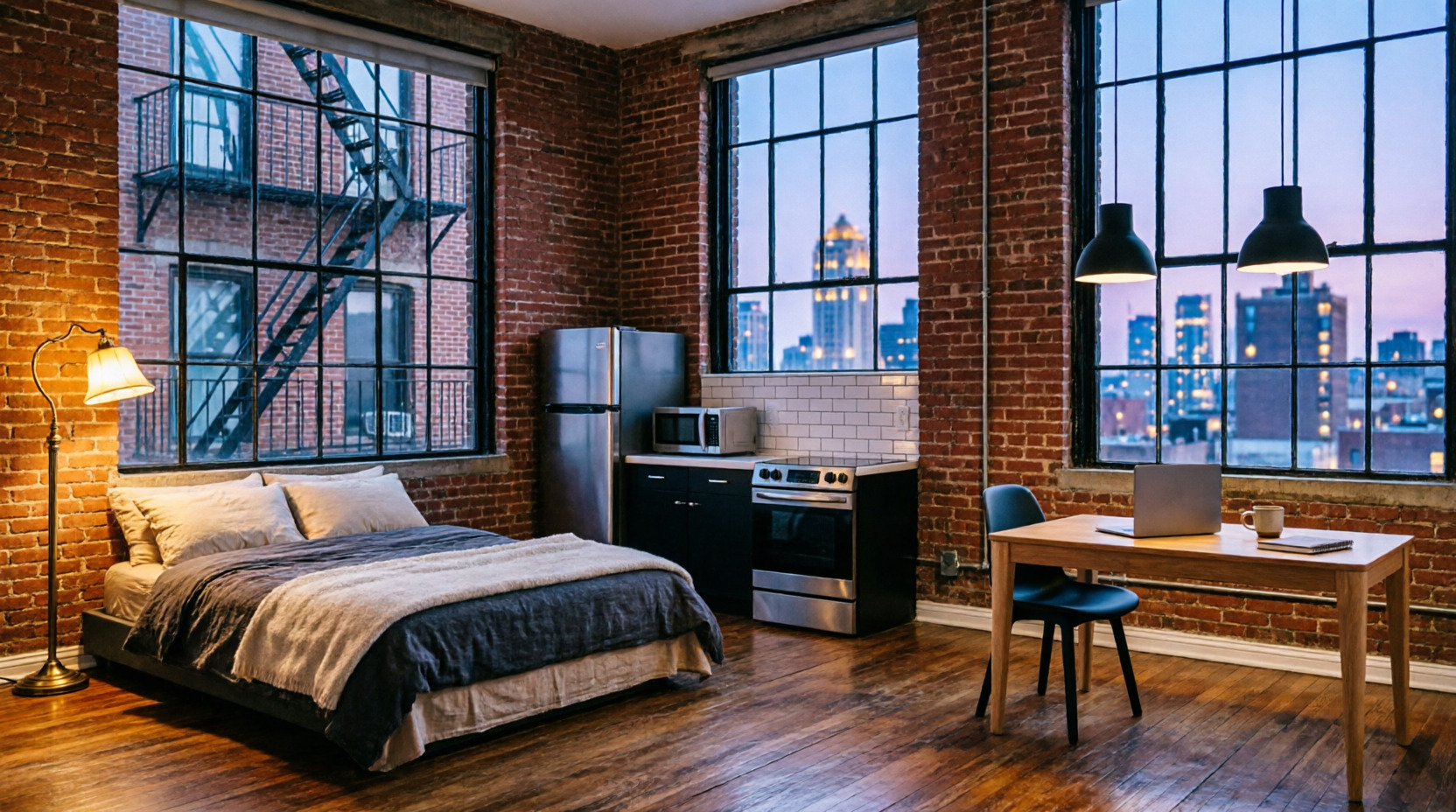
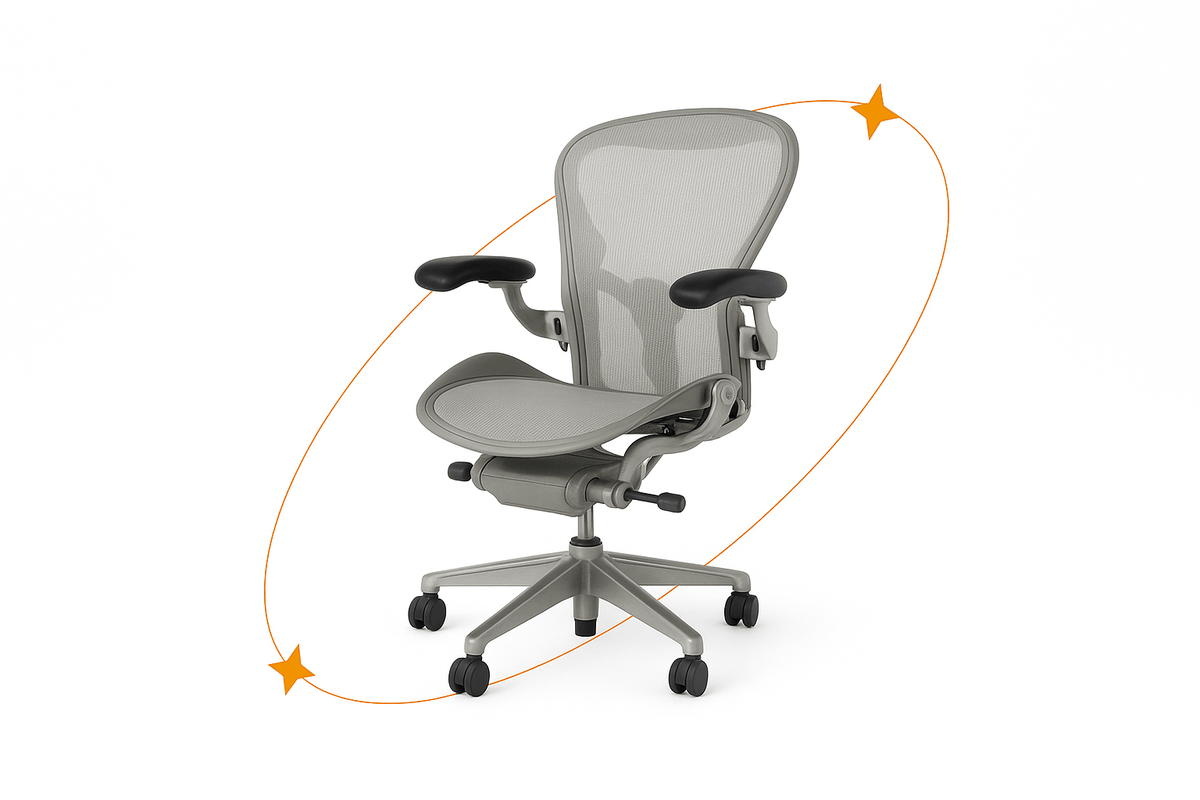
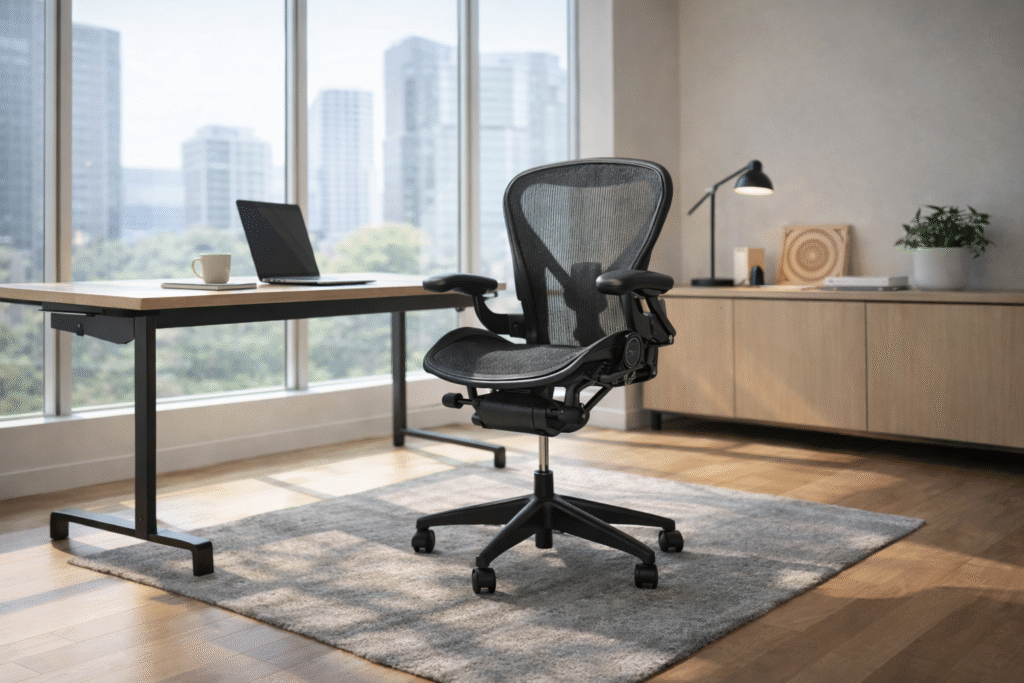
Modern home office with an ergonomic mesh office chair, minimalist desk, and laptop beside large windows overlooking a city skyline